


OAuth is an open standard for authorization that lets applications access protected resources without directly handling a user’s password.
When you see an “Allow app access” form like this one, there’s a good chance OAuth is under the hood:

Before teams can understand OAuth 2.1, MCP authorization, or token exchange for AI agents, they need to understand the basic OAuth model: clients, resource owners, authorization servers, resource servers, scopes, access tokens, refresh tokens, and authorization flows.
How Does OAuth 2.0 Work?
OAuth 2.0 defines a way for one application to access a protected resource on behalf of a user or system without directly receiving that user’s password. Instead of sharing credentials, the client receives an access token. That token tells the resource server what the client is allowed to do, usually through scopes, expiration times, and other constraints.
Let’s explore who is who in OAuth 2.0 using a typical use case, a GitHub integration for Slack:
- The protected resource is the Slack API, hosted in the resource server.
- The resource owner is the end-user installing the integration and granting the access.
- The client is the GitHub integration, which wants to access the Slack API to send GitHub alerts as messages in Slack channels.
- Access is approved by the authorization server owned by Slack. This can be hosted separately from the protected resource.
- The access token is a string the client must protect. The client sends that token when requesting access to the protected resource.
Additionally, OAuth can define:
- An expiration time.
- A refresh token that the client can use to request a new access token when the old one expires.
- The scopes, or a set of granted permissions. This will limit the API endpoints that the client is allowed to use.
The token system is brilliant because of its simplicity. However, this simplicity also makes the system easy to exploit.
OAuth tokens only tell what the client is allowed to do (Authorization), but do not necessarily identify them (Authentication). In many implementations, access tokens are bearer credentials, which means whoever holds the token may be able to use it until it expires or is revoked.
In the case of a GitHub integration for Slack, a malicious actor who gets their hands on the token would have access to the Slack directory and the conversations where the GitHub integration is added. The attacker would also be able to send messages impersonating the integration, redirecting users to malicious websites, or simply being annoying.
That’s why it’s so important to set short expiration dates and protect your tokens. It’s also recommended to implement additional controls, like binding the tokens to a client, workload, session, or environment. In any case, it’s always better for the system to be resilient. We’ll discuss later how OAuth 2.1 is addressing these and other challenges.
For now, let’s learn how OAuth elements interact.
The OAuth Authorization Flow
A typical OAuth authorization flow works like this. The exact details vary by implementation, but the core pattern is consistent.

1-4 Authenticating and consenting
We start our journey at the integration site, owned by the client (GitHub). After authenticating us (the user), the client will yield control to the resource’s authorization server (Slack). Slack will also authenticate us and then ask for consent to provide access to GitHub.
Note: The OAuth standard does not specify how clients and authorization servers should authenticate users. This process can be a simple login page or an OpenID Connect (OIDC) flow, which is based on OAuth but would take place as a separate flow.

When the client redirected to the authorization server (step 2), it provided some key parameters:
- client_id: A public identifier of the application requesting access.
- redirect_uri: Where to call once the authentication process is complete.
- scopes: What areas of the resource the client wants to access.
- state: As an anti-tampering measure (to prevent against CSRF), the client sends a random string that the authentication server will communicate back. If it matches, the client can confirm that the response belongs to the original request.
Once the user consents, the conversation between the client and the authorization server continues.
5-7 Obtaining the Token
But before sending the token, the authorization server performs one extra step to help prevent CSRF attacks. It redirects the user’s browser to the redirect_uri, sending as parameters (step 5):
- state: The same as the client sent on step 2.
- auth_code: A temporary secret for the client to send back.
The client confirms that the state value is the same as sent on step 2, then sends (step 6):
- auth_code: The secret it just received.
- client_secret: A private identifier of the application requesting access, only known by the client and the authorization server.
If both auth_code and client_secret check out, the authorization server issues the token and sends it to the client (step 7).
The access token looks something like this:
{
  "access_token":"2YotnFZFEjr1zCsicMWpAA",
  "token_type":"bearer",
  "expires_in":3600,
  "refresh_token":"tGzv3JOkF0XG5Qx2TlKWIA"
}
The response can also include a refresh token that can be used to request a new access token after the original token expires. You should tailor the exact lifetime to the resource’s sensitivity, the client type, and your organization’s risk model.
For continuous API access, a time-to-live of 15 to 30 minutes can provide a good balance. However, for sporadic access, such as that from agentic workloads, it may be better to reduce the TTL to one minute.
Expiration times are one reason OAuth tokens are often safer than long-lived API keys, which can remain valid indefinitely if they are not rotated or revoked.
8-9 Accessing the resource
Finally, the client can use the access token as a credential to access the resource.
Each time the token expires, the client will request a new one from the Authorization Server.
How Does OAuth 2.1 work?
As part of an ongoing effort to provide the best authorization standard, OAuth is continually updated to provide a more secure framework while also accounting for the new agentic ecosystem.
Here are some of the most important security changes in OAuth 2.1.
PKCE is Now Enforced
Proof Key for Code Exchange, also known as PKCE (RFC7636), is a one-time cryptographic proof used to prevent a malicious party from intercepting the authorization code when using clients such as mobile or native apps.
Previously, in the standard OAuth exchange, an attacker who intercepted the authorization code during redirection could exchange it for an access token.
PKCE hardens this exchange by adding a cryptographic challenge that can be used alongside the client secret.
Note:
On step 2, the client:
- Generates code_verifier, a cryptographically random string known only to the client.
- Sends a hash of it to the authorization server under the field code_challenge.
On step 6:
- The client sends the full code_verifier.
- The authorization server validates the hash of the code_verifier against the code_challenge it received earlier. If it checks out, it issues the tokens.
In this way, the authorization server confirms that the client receiving the tokens is the same one that initiated the request.
Redirect URIs Must be Compared Using Exact String Matching
In OAuth 2.0, there wasn’t a strict definition of how strong the URI matching process should be. Previously, the matching could be flexible, and if a certain URL were allowed (e.g., https://myapp.com/callback), then some servers would allow as well derivatives (like https://myapp.com/callback.attacker.com)
TLS Is Expected Across OAuth Exchanges
OAuth 2.0 already required Transport Layer Security for token and authorization endpoints. Now, OAuth 2.1 extends this expectation to every exchange of clear-text credentials:
- Authorization endpoints
- Token endpoints
- Redirect URIs
- Resource server calls
As framed in the RFC, the specification mandates authentication, integrity, and confidentiality in communications. It recommends TLS v1.3 but leaves room for implementations to adjust to their security requirements.
For more information, check the article OAuth 2.0 vs 2.1: What Changed and How to Migrate.
OAuth for Agentic Entities
The workflow we just described works well for many application-to-API scenarios, but agentic workloads introduce additional identity, delegation, and scoping challenges.

In this architecture, there are two different types of authentication happening:
- Against your MCP server, to use it from your agentic client.
- Against the services your MCP server accesses.
Let’s discuss them separately.
For a deeper technical treatment of MCP, OAuth 2.1, PKCE, and agent authorization, see our earlier article, “MCP, OAuth 2.1, PKCE, and the Future of AI Authorization.”
OAuth to Authorize Against MCP Servers
The MCP specification states that authorization should be based on OAuth 2.1.
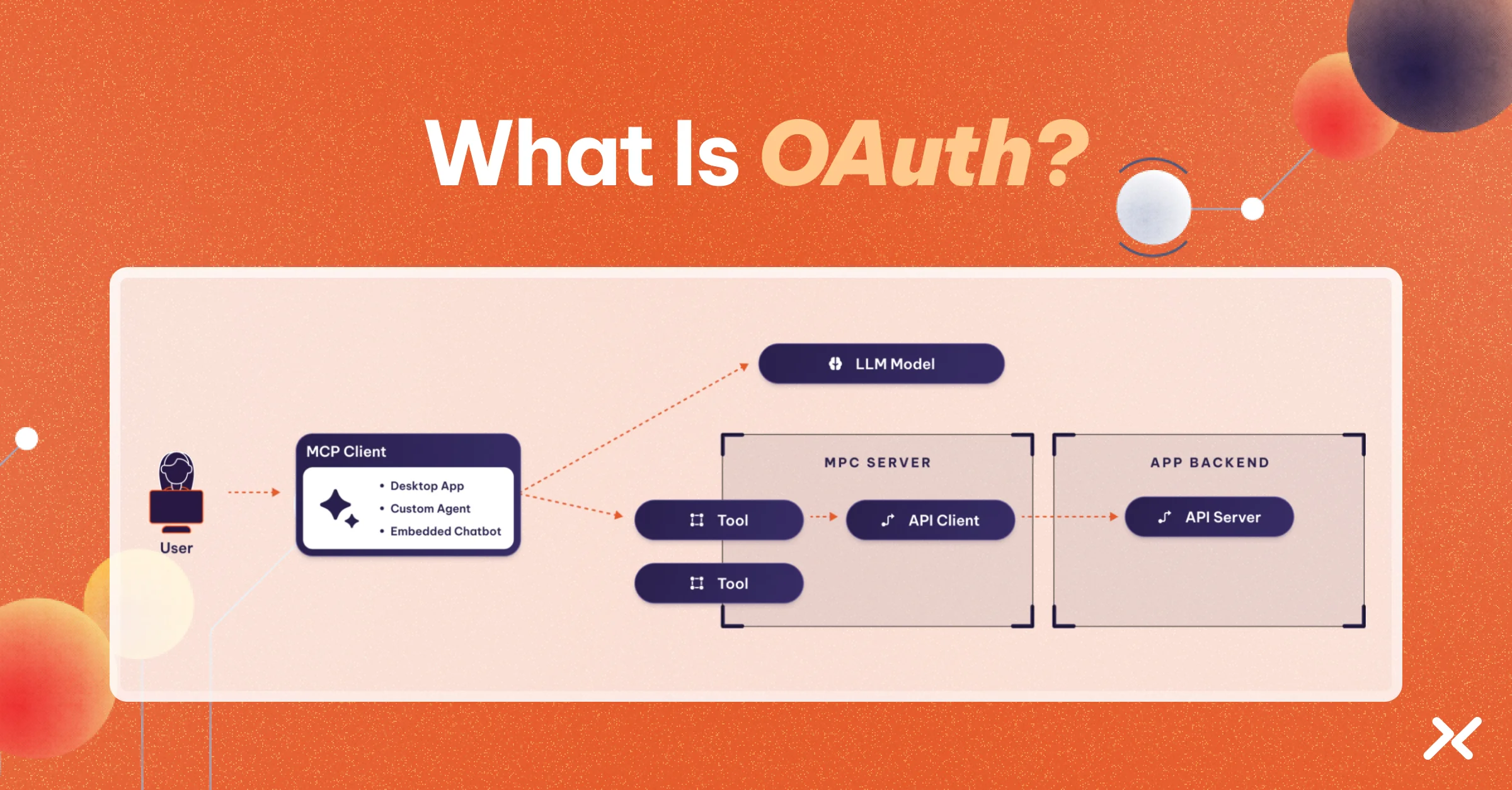
In this case, the MCP server acts as the resource (like the Slack API) that needs protection from the app you use to interact with your LLM model (a client, like the GitHub integration).
But, unlike GitHub, MCP servers don’t have an interface where you can install with a click. Instead, you usually drop the MCP server URL in a config file. So, your LLM client doesn’t know what authentication server to use, or what scopes to request.
So, the first time your MCP client accesses the server, it returns an error with the URI where those details live:
HTTP/1.1 401 Unauthorized

WWW-Authenticate: Bearer realm="mcp",

  resource_metadata="https://example.com/oauth-protected-resource"
When your client accesses that address, it gets all the metadata it needs to complete the authorization process. It uses a standard JSON format called protected resource metadata (PRM).
{
  "resource": "https://example.com/mcp",
  "authorization_servers": ["https://auth.your-server.com"],
  "scopes_supported": ["mcp:tools", "mcp:resources"]
}
The resulting process looks like this:
How MCP Servers Authenticate Against Other Services
Most MCP servers are straightforward. They are deployed locally and access a single API with a token provided by the user in the configuration.
However, remote servers may serve multiple clients simultaneously. They may also rely on several other servers and APIs to perform their tasks.
In such scenarios, how do you ensure that the MCP server accesses only data relevant to the user? Think about a customer support agent; they should only have access to the user’s account.
Also, how can you protect your users’ tokens if one step in the chain gets compromised?
To solve this, OAuth has a delegation mechanism via token exchange.
In summary, it allows an OAuth resource to obtain a token to access another resource. The RFC 8693 is rather comprehensive and covers three use cases: A simple exchange, impersonation (acting as someone), and delegation (acting on behalf of someone).
With this mechanism, authorization servers can provide short-lived tokens (1-minute) that cannot be refreshed after expiration. They can also provide reduced access depending on which resource is requesting the exchange.
In this way, MCP servers can use the client’s tokens to access only the data that is available to the user. Also, even if one MCP server gets compromised, the tokens will be of little use to the attacker as they will expire shortly.
The Future of Authorization for Agentic AI
Agentic workloads can touch many tools and resources, but often need access only for a specific task or moment.
With this in mind, work is underway on several ideas, like AAuth, an OAuth 2.1 extension for agentic authorization. This draft proposes mechanisms for agents to infer which user they are talking to and select the appropriate credentials, as well as a mechanism for users to manually confirm access when the agent requires it.
Modern workload access tools can build on OAuth-style patterns by adding runtime policy, short-lived access, and centralized visibility. The goal is not only to issue a token, but to know which workload or agent is acting, what it is trying to access, and whether that access should be allowed now.
Learn More
Now that you have a basic understanding of OAuth, you can check the following resources to continue exploring it.
Related resources:
- API Keys vs OAuth: Which API Authentication Method Is More Secure?
- Configure an OAuth 2.0 Client Credentials Credential Provider | DOCS
- OAuth vs. OIDC: What’s the Difference and When Should You Use Each?
- OAuth 2.0 vs 2.1: What Changed and How to Migrate
Additionally, you can check the following links from external sites:
- The official OAuth page provides current information on OAuth specifications and related work.
- The original RFC 6749 from the Internet Engineering Task Force.
- The draft from OAuth 2.1, which will become an RFC itself.


